
Canva Pro Team Invite Link 2026
Original price was: ₹999.00.₹149.00Current price is: ₹149.00.
Description
Steps To Join Canva Pro Team Invite Link –
Here is the Step By Step Process – how it works –
- Step 1 – The team owner creates an invite link from their Canva Pro dashboard. it need a email id or existing Canva free account

- Step 2 – After successful invite, you will get a mail, to your inbox. Simple open the invite mail and click on given option “Join The Class“

- Step 3 – After Doing This, You Will be added to Team, and you can use all pro features.
Canva Free vs Canva Pro – What’s the Difference?
If You are using Free version of Canva then you only get these features –
-
✔️ Free templates
-
✔️ Basic design elements
-
✔️ Storage for up to 5GB
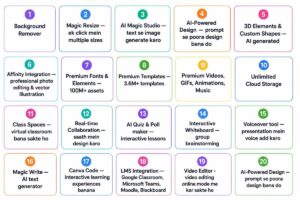
When You Join Canva Pro Team Invite then it unlocks these features –
✔️ Unlimited Access to 100M+ premium photos, videos, graphics & fonts
✔️ 80,000+ ready-made templates for projects & presentations
✔️ One-click background remover (photos & videos)
✔️ Magic Resize for all formats
✔️ Magic Studio (Text to Image & Magic Write)
✔️ Magic Animate for auto animations
✔️ Real-time team collaboration
✔️ 1TB secure cloud storage
✔️ LMS integration (Google Classroom, Canvas, Microsoft Teams)
✔️ Affinity professional design tools (Campus plan)
✔️ Career Kit for resumes & portfolios
✔️ Brand Kit Access (only for admin)
Additional information
| Choose Plan | 6 Month, 1 Year |
|---|
Reviews
There are no reviews yet.