Guys, if you’ve been following my journey for some time, you already know that I’m always searching for digital tools that actually make our life as content creators easier. And trust me, these days the question I get the most in my DMs is:
“Which AI image generator really creates realistic photos?”
And honestly, I understand this confusion. Just a year ago, AI images used to look fake — plastic-looking skin, weird hands, and unrealistic faces. But now it’s 2026, and everything has changed. Today, we don’t just want “cool” AI art. We need images that look like real photos clicked from a high-end smartphone or a professional camera, whether it’s for blogs, social media, or brand content.
That’s why I spent the last few weeks testing almost every popular AI image generator out there. I checked how they handle skin texture, natural lighting, facial details, and overall realism. I pushed these tools to their limits so that you don’t have to waste your time or credits.
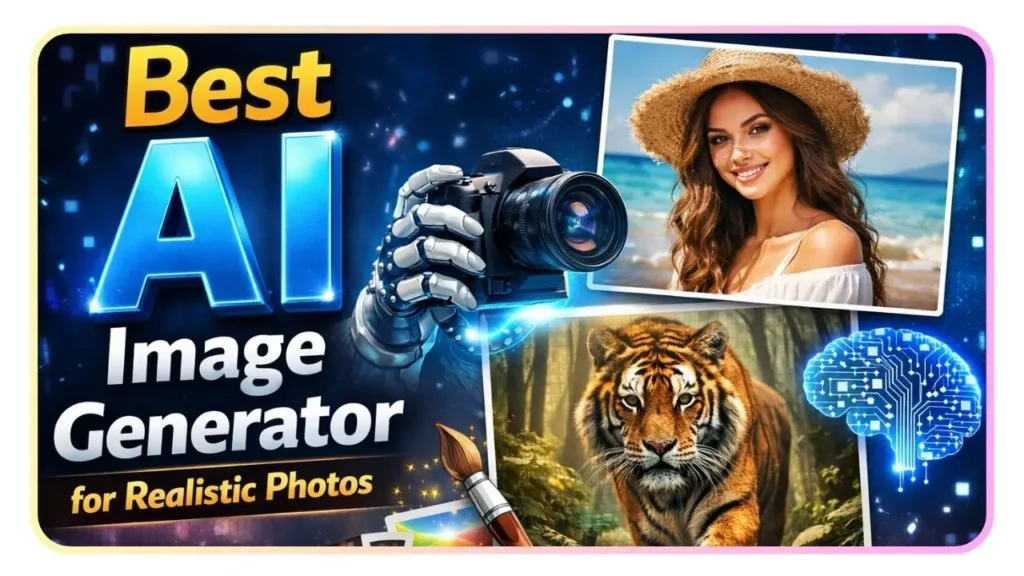
In this article, I’m going to share which one I found to be the best AI image generator for realistic photos.
1. Midjourney v7: The Undisputed King of Aesthetics
For me, Midjourney is still the one to beat when it comes to that “cinematic” look. With the release of v7, they’ve moved away from the overly polished AI look and embraced what they call “Organic Realism.”
When I prompt for a portrait now, I see pores, fine peach fuzz, and even slight “imperfections” like uneven skin tone or stray hairs. It doesn’t look like a 3D render anymore; it looks like a captured moment.
-
Why I love it: The lighting is unmatched. It understands how light bounces off surfaces (global illumination) better than any other tool.
-
Best for: Editorial photography, fashion shoots, and high-end blog headers.
-
Pro Tip: Use the
--style rawparameter to strip away the “AI-art” filter and get a more neutral, photographic result.
Check out Midjourney here: https://www.midjourney.com
2. Flux.1 (Pro & Dev): The New Standard for Realism
If you guys haven’t tried Flux yet, you are seriously missing out. Developed by the original creators of Stable Diffusion (Black Forest Labs), Flux has taken the creator world by storm in late 2025 and 2026.
What makes Flux my “daily driver” for realistic photos is its Prompt Adherence. If I tell it I want a “grainy 35mm film photo of a guy drinking coffee in a rainy London cafe with a blurred bus in the background,” it gives me exactly that. No weird hallucinations.
-
Why I love it: It handles human anatomy—especially hands and eyes—flawlessly. Plus, it can actually render text inside your photos (like a sign or a t-shirt) without it looking like gibberish.
-
Best for: Lifestyle photography and “authentic” social media content that needs to look candid.
Check out Flux here: https://blackforestlabs.ai
3. Google Gemini: Nano Banana Pro
Google’s latest image model, nicknamed Nano Banana Pro, is a beast. Being integrated directly into the Gemini ecosystem makes it incredibly convenient for me when I’m already researching content.
The realism here is focused on “Physics-based Rendering.” It’s particularly good at product photography. If you’re a creator doing tech reviews or e-commerce, this is your best friend. It understands how glass reflects and how shadows should fall on a desk.
-
Why I love it: It’s incredibly fast. While Midjourney takes a minute, Nano Banana Pro gives me 4K realistic results in about 5 seconds.
-
Best for: Product shots, tech-focused visuals, and rapid prototyping.
Check out Google Gemini here: https://gemini.google.com
4. Leonardo.ai: The All-in-One Creative Suite
Leonardo has evolved from just a “Stable Diffusion wrapper” into a full-blown creative powerhouse. Their PhotoReal V2 pipeline is specifically engineered for photorealism.
What I find unique about Leonardo is the “Creative Upscaler.” I can take a decent image and run it through the upscaler to add an insane level of detail—think individual threads on a sweater or raindrops on a windowpane.
-
Why I love it: The UI is the best in the business. You don’t need to be a “prompt engineer” because they have simple toggles for “Portrait,” “Cinematic,” and “Photography.”
-
Best for: Creators who want a user-friendly dashboard and the ability to edit/upscale in one place.
Check out Leonardo.ai here: https://leonardo.ai
5. Adobe Firefly (Image Model 5): The Professional’s Choice
If you’re worried about copyright (which we all should be as professionals), Adobe Firefly is the safest bet. It’s trained on Adobe Stock images, making it “commercially safe.”
The realism in the new Model 5 is a massive leap forward. Since it’s built into Photoshop, I often use the “Generative Fill” feature to add realistic objects into my own photos. It matches the depth of field and lighting of my original shot perfectly.
-
Why I love it: Seamless workflow. I can generate an image and move it straight into my design layers without leaving the app.
-
Best for: Professional designers and creators who need legal peace of mind for client work.
Check out Adobe Firefly here: https://firefly.adobe.com
How to Get the Most Realistic Results (My Secret Sauce)
Before I wrap up, let me share a few “insider” tips I use to make my AI photos look 10x more real:
-
Mention the Camera: Don’t just say “a photo of a woman.” Say “A 4k portrait shot on a 85mm lens, f/1.8.” Giving the AI “camera settings” forces it to mimic real optical physics like bokeh (background blur).
-
Describe the Lighting: Use words like “Golden Hour,” “Volumetric lighting,” or “Soft Rembrandt lighting.” Light is the difference between a flat AI image and a professional photo.
-
Add “Human” Imperfections: I often add keywords like “slight skin texture,” “natural skin pores,” or “messy hair” to avoid that “too perfect” plastic look.
-
Film Styles: If you want that trendy “authentic” vibe, ask for “Kodak Portra 400” or “Fujifilm aesthetic.” It adds a beautiful grain and color science that screams “real camera.”
The Verdict: Which one should you choose?
If you want the absolute best visual quality and don’t mind a slight learning curve, go with Midjourney v7.
If you want perfect prompt adherence and great text rendering, Flux.1 is your winner.
And if you’re looking for speed and ease of use, I’d stick with Leonardo.ai or Gemini.
Guys, the “Best” tool is ultimately the one that fits your specific workflow. For me at Digicrafto, I usually bounce between Flux for social media posts and Midjourney for my website’s main hero images.
What are you guys using right now? Have you tried the new Flux models yet? Let me know in the comments!