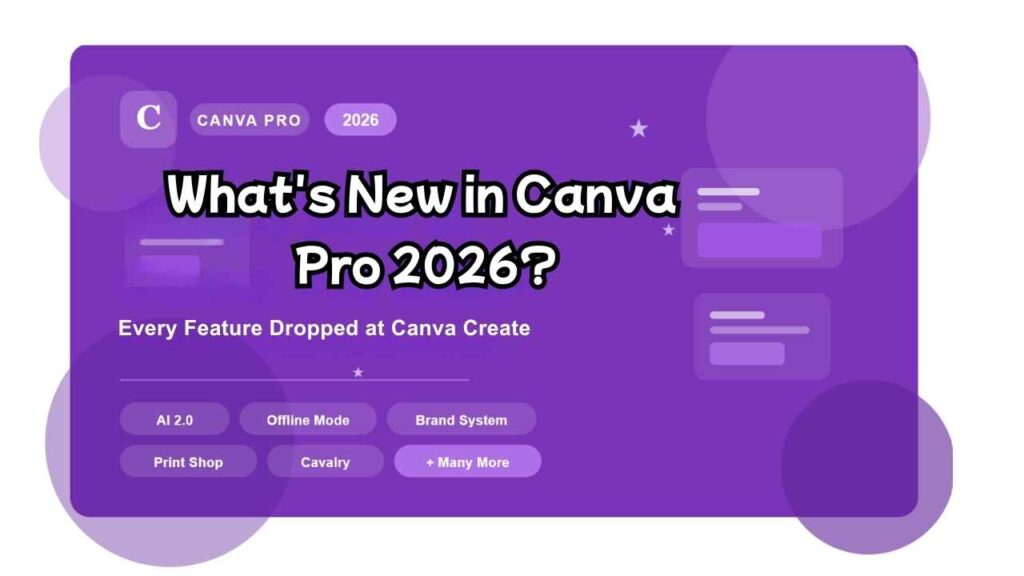
Canva just had its biggest year ever. At the Canva Create 2026 event in Los Angeles on April 16, the company dropped what CEO Melanie Perkins called their “biggest launch in history” — and she wasn’t exaggerating. From a brand-new AI platform to offline design, a revamped print shop, and deep professional suite integrations, there’s a lot to unpack.
Whether you’re a freelancer, content creator, marketer, or small business owner on a Pro plan, this guide covers every major new feature — and what it means for you.
The Big Shift: Canva Is Now “An AI Platform with Design Tools”
For over a decade, Canva has been described as “a design platform with AI tools.” In 2026, that flipped. Canva has officially repositioned itself as an AI platform that happens to have design tools — and Canva AI 2.0 is the centerpiece of that transformation.
The platform now serves over 265 million monthly users and has crossed $4 billion in annualized revenue, with 31 million paid users. AI usage on the platform tripled over the past year alone.
1. Canva AI 2.0 — The Biggest Update in Canva’s History
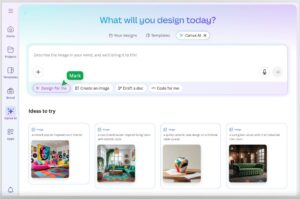
Canva AI 2.0 is not just an upgraded chatbot. It’s a full architectural overhaul that introduces conversational design, agentic automation, and living memory into the Canva editor.
What’s New in Canva AI 2.0:
Conversational Design Instead of starting from a blank canvas or template, you now start with an idea. Type (or speak) a natural language prompt — a brief, a rough concept, even an unfinished thought — and Canva AI assembles a fully layered, editable design from scratch. Every element is live and adjustable.
Agentic Orchestration Canva AI 2.0 can now coordinate multiple tools across the Canva suite to execute multi-step goals. Ask it to create a full multi-channel campaign — social posts, presentations, newsletters, ads — and it generates all formats simultaneously, on-brand by default.
Living Memory Canva AI now remembers your style, preferences, and brand across sessions. The more you use it, the more it adapts to how you create.
Workflow Connectors Canva AI 2.0 connects to Slack, Notion, Zoom, Gmail, Google Drive, and Google Calendar. The AI can pull from emails, meeting transcripts, and calendar entries to automatically generate briefing documents, sales pitches, newsletters, and more — without you needing to copy-paste anything.
Background Scheduling (Autopilot) Set repeatable design and content tasks on a schedule. Canva AI handles them in the background while you’re offline or working on something else. For example: automatically generate and queue a batch of social media posts every Friday, adapted for each platform and translated into multiple languages.
Web Research Integration Ask Canva AI to pull real-time web data directly into your designs — structured, editable, and ready to publish.
Faster & Cheaper AI Models Under the hood, Canva’s own AI models have gotten dramatically better:
- Lucid Origin (image generation): 5x faster, 30x cheaper
- I2V (image-to-video): 7x faster, 17x cheaper
Pro users get: Unlimited AI generations (vs. limited credits on Free), priority access to Canva AI 2.0 features as they roll out, and full Brand Kit integration with the AI.
2. Canva Offline Mode — Design Without Internet
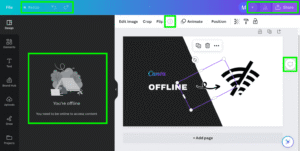
One of the most requested features in Canva’s history is finally here: offline mode.
You can now edit, save, and continue designing even without an internet connection. Your work automatically syncs when you come back online. This is a game-changer for:
- Designers working on flights or in areas with unreliable Wi-Fi
- Presentations being finalized in conference rooms with no signal
- Anyone who’s ever lost work due to a dropped connection
3. Brand System — Smarter Brand Management at Scale
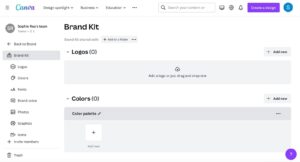
Canva’s Brand Kit has been completely overhauled into a new Brand System — a more powerful, flexible way to manage visual identity across teams and projects.
What’s new:
- A redesigned Brand Kit homepage that acts as a team’s creative hub — logos, color palettes, fonts, templates, and guidelines all in one visual, customizable space
- Contextual brand guidance that surfaces approved assets and tips right inside the editor as you design
- Brand System inside Affinity — Canva’s professional design app now has full Brand System integration, so branding stays consistent from professional vector work to social media posts
- Canva AI can be attached to your Brand Kit, automatically applying your fonts, colors, and tone to every AI-generated design
Pro users get: Up to 100 Brand Kits (vs. 1 on Free), with Teams and Enterprise getting even more advanced controls.
4. Affinity Integration — Professional-Grade Design Tools Inside Canva
Canva’s acquisition of Affinity (the professional design suite) is now fully bearing fruit. In 2026, Affinity is deeply integrated into the Canva ecosystem:
- Brand System launches inside Affinity — professional designers can work in Affinity Publisher, Designer, and Photo while staying connected to Canva Brand assets
- New integrations with Capture One, DaVinci Resolve, and Claude (by Anthropic) — creating a seamless creative stack from photography to video editing to AI-assisted writing, all flowing into Canva
This is aimed squarely at professional designers and creative agencies who previously had to juggle multiple disconnected tools.
5. Cavalry — Studio-Grade Motion Design, Now Free
Cavalry, a professional motion design application (think After Effects, but browser-friendly), is now free for all Canva creatives — including Free plan users.
For Pro users, this unlocks studio-grade animation and motion graphics workflows directly connected to Canva’s design suite. Create scroll-stopping animated social content, motion brand assets, and video graphics without leaving the Canva ecosystem.
6. Print Shop — 60+ New Products, Reimagined Ecommerce
Canva Print Shop has been completely rebuilt from the ground up. The new experience lets you go from design to a physical product — delivered to your door — all from inside Canva.
What’s new:
- 40+ new products in Canva Print (with 60+ total additions including premium finishes and new categories)
- Entirely new ecommerce shopping experience
- Premium finishes and specialty product categories
- Better tools for branding physical touchpoints: business cards, packaging, signage, merch, and more
Great news for small businesses and solopreneurs who want professional print materials without dealing with third-party print vendors.
7. Learn Grid — AI-Powered Education Platform
Learn Grid is a brand-new learning platform built into Canva, aimed primarily at educators but useful for anyone learning design.
- Thousands of curriculum-mapped resources
- AI-powered activity creation — generate learning materials, worksheets, and lesson plans in seconds
- Available in 16+ languages
- Free for all users
8. Magic Tools — What’s Upgraded in 2026
The classic Magic tools that Canva Pro users love have all gotten smarter:
| Feature | What’s New in 2026 |
|---|---|
| Magic Design | Generates layouts instantly from a text prompt; now AI-contextual |
| Magic Write | Smarter copy generation; integrates with Brand Kit tone of voice |
| Magic Edit | Better object-level editing and replacement |
| Magic Resize | Auto-reformats designs for different platforms and aspect ratios |
| Background Remover | Faster and more accurate, even for complex images |
| AI Code Generator | Import HTML or generate spreadsheets from text prompts |
9. Claude + ChatGPT Integration
In a notable cross-platform move, Canva now integrates with Anthropic’s Claude and ChatGPT. Users can:
- Bring artifacts (documents, drafts, outputs) from Claude or ChatGPT directly into Canva
- Edit them collaboratively inside Canva’s editor
- Publish them as fully designed websites
This positions Canva as the “visual publishing layer” that sits downstream from any AI writing or thinking tool — a smart play in an increasingly AI-first workflow.
10. Canva Pro — What You Get in 2026
Here’s a quick summary of what’s included with Canva Pro ($15/month or $120/year):
| Feature | Free | Pro |
|---|---|---|
| Templates | 2M+ | 3.6M+ |
| Stock assets (photos, video, audio) | ~5M | 140M+ |
| AI generations (Magic Write, Magic Media, etc.) | Limited credits | Unlimited |
| Brand Kits | 1 (basic) | 100 |
| Cloud storage | 5 GB | 1 TB |
| Background Remover | ❌ | ✅ |
| Magic Resize | ❌ | ✅ |
| Transparent background export | ❌ | ✅ |
| SVG export | ❌ | ✅ |
| Social media scheduling | ❌ | ✅ |
| Canva AI 2.0 (full access) | Research preview only | ✅ |
| Offline mode | ✅ | ✅ |
| Cavalry motion design | ✅ | ✅ |
Who Should Upgrade to Canva Pro in 2026?
Canva Pro is worth it if you:
- Create content regularly for social media, presentations, or marketing
- Manage a brand and need consistent visuals across assets
- Want unlimited AI-powered design generation (no credit limits)
- Need premium stock photos, videos, or audio without extra fees
- Work with clients and need professional export options (SVG, transparent PNG)
- Want to take advantage of Canva AI 2.0’s full agentic features
The free plan is still generous — but in 2026, the AI and automation features are where the real power is, and those are increasingly Pro-only.
Final Thoughts
Canva Create 2026 wasn’t just a product update — it was a statement. With Canva AI 2.0, offline mode, deep Affinity integration, Print Shop, and a brand new Brand System, Canva has made a serious bid to become the creative operating system for individuals and teams alike.
If you’re already on Pro, explore the AI 2.0 research preview now by visiting canva.com and signing up from the homepage. If you’ve been on the fence about upgrading, 2026 might be the year the value proposition becomes impossible to ignore.